Add the PDF
Drop one file or a mixed batch into your private workspace.
Turn mixed Flipkart seller PDFs into clean shipping labels for a 100 × 150 mm thermal printer or four-up A4 sheets.
100 labels per day during early access · No card required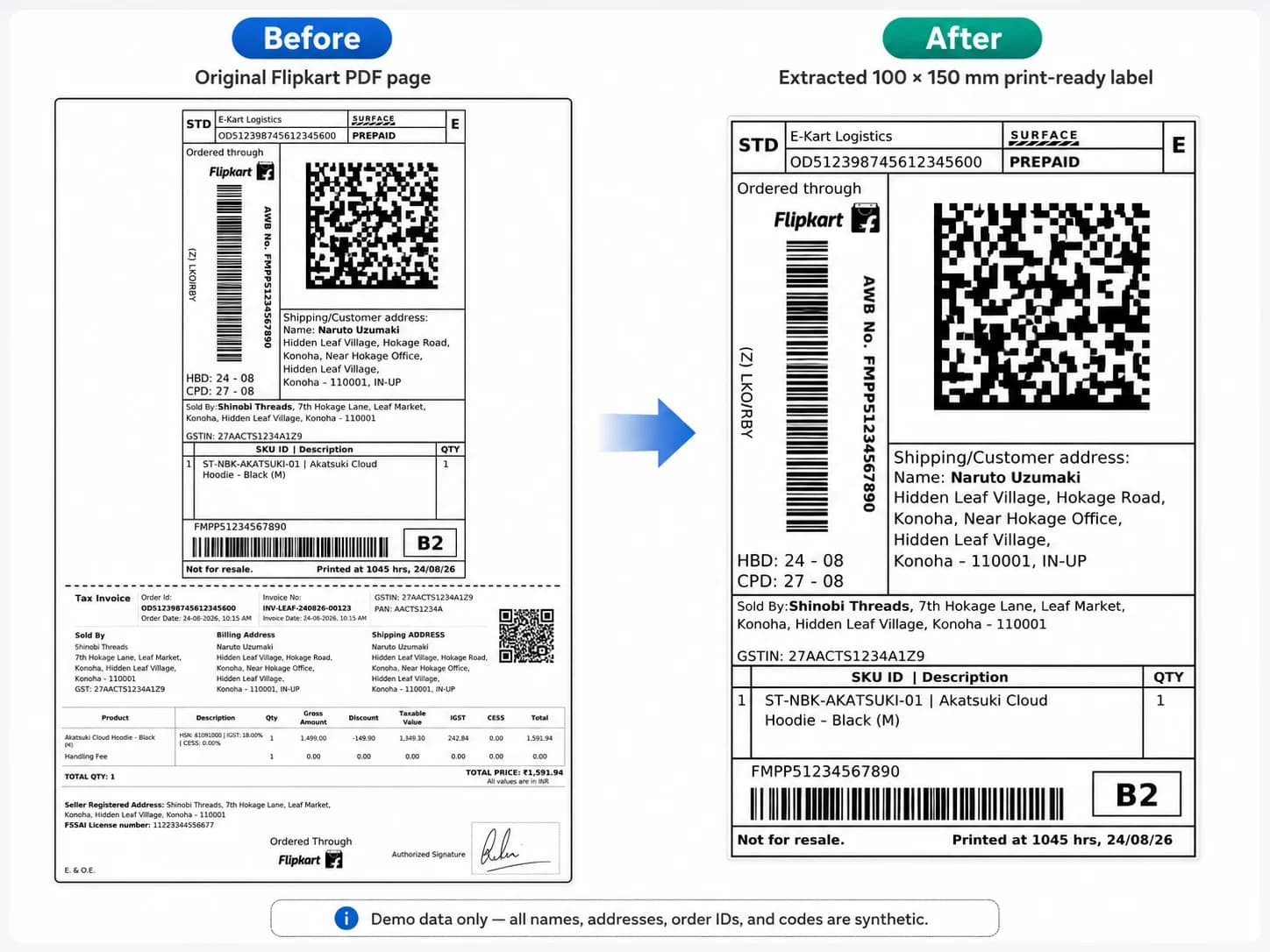
Finds the E-Kart shipping label inside a full seller PDF.
Removes the lower tax invoice from the print run.
Keeps barcodes and QR codes sharp for scanning.
Drop one file or a mixed batch into your private workspace.
SellerLabel keeps the E-Kart label and flags uncertain pages for you.
Download 100 × 150 mm labels or place four labels on each A4 sheet.
Yes. Confirmed Flipkart layouts keep the E-Kart shipping label and exclude the invoice area.
Yes. SellerLabel checks the page content instead of assuming one PDF equals one shipment.
Yes. Preview the prepared PDF before you download or print the full batch.